Introduction
Over the last several years, AI writing tools have exploded, but separating genuine productivity boosters from generic content generators is challenging. Organizations using these tools report 61% higher productivity. AI speeds up content creation by 430% on average. Writers produce up to 50% more content without burning out.
Not all tools deliver the same value, though. I tested 13 of the best AI writing tools across real projects to find which ones work for different use cases. This piece covers the best free AI writing tools and premium options, plus specialized solutions for academics and content creators.
- Introduction
- Claude: Best AI Writing Tool Overall
- ChatGPT: Best Free AI Writing Assistant
- Jasper AI: Best for Marketing Teams
- Sudowrite: Best AI Writing Tool for Fiction
- Surfer SEO: Best AI Tool for SEO Content
- Grammarly: Best AI Writing Assistant for Editing
- Rytr: Best Budget AI Writing Tool
- Copy.ai: Best for Quick Copywriting
- Writesonic: Best AI Tool for Content Creation at Scale
- Frase: Best for SEO Content Strategy
- Novelcrafter: Best AI Writing Tool for Long-Form Content
- Hypotenuse AI: Best for E-commerce Product Descriptions
- ProWritingAid: Best for Professional Writers
- Comparison Table
- Conclusion
- Key Takeaways
- FAQs
Claude: Best AI Writing Tool Overall
Image Source: claude.ai
Claude stands out among AI writing assistants through its Constitutional AI framework, which governs behavior using ethical guidelines rather than relying just on training data. This safety-first design makes it reliable for sensitive applications while maintaining powerful capabilities across writing, coding, and analysis tasks.
Key Features and Capabilities
Claude processes information through three specialized models. Haiku delivers the fastest responses for concise tasks. Sonnet excels at high-performing creative writing and complex projects. Opus handles advanced analysis, higher-order math, and intricate coding challenges. The platform supports a 100,000-token context window, equivalent to a novel’s length. Writers can paste multiple articles or maintain context throughout extended drafting sessions without losing track.
The text generation produces conversational, human-like responses that outperform many competitors in tone and clarity. Vision analysis interprets images to solve problems, from chart analysis to visual composition descriptions. Code generation creates production-level code in programming languages of all types, with the know-how to explain functionality and assist debugging. Sentiment analysis gauges emotional tones in text, though it doesn’t deal very well with nuanced sarcasm without additional context.
Pricing and Plans
| Free | Pro | Max |
Try Claude $0 Free for everyone | For everyday productivity, $17 Per month with an annual subscription discount ($200 billed up front). $20 if billed monthly. | Everything is free, plus: More usage*Includes Claude CodeIncludes Claude CoworkAccess to unlimited projects to organize chats and documentsAccess to Research, and more. |
| Everything in Pro, plus: Choose 5x or 20x more usage than Pro*Higher output limits for all tasksEarly access to advanced Claude featuresPriority access at high traffic times | Everything in Pro, plus: Choose 5x or 20x more usage than Pro*Higher output limits for all tasksEarly access to advanced Claude featuresPriority access at high traffic times | Everything in Pro, plus:Choose 5x or 20x more usage than Pro*Higher output limits for all tasksEarly access to advanced Claude featuresPriority access at high traffic times |
Because pricing can change, it’s recommended to check the official website for the most up-to-date plan details.
Usage limits reset every five hours on paid plans, but depend on conversation length and system capacity.
Pros and Cons
Pros: Powerful code generation for beginners learning programming. Highly conversational interactions feel natural. Free plan available to test. Handles long-form content consistently.
Cons: Usage limits vary based on conversation length, which makes them hard to predict. The platform crashes during heavy use at times. Responses can be too verbose. Less creative output compared to competitors in marketing-focused tasks.
Best Use Cases
Beginner programmers benefit from Claude’s code explanation and debugging capabilities. Content creators use it for blog posts, social media captions, and stories customized to platform-specific tones. Visual learners appreciate chart and diagram generation, plus dyslexia-friendly font options. Writers handling long-form projects use the large context window to maintain coherence across thousands of words.
ChatGPT: Best Free AI Writing Assistant

OpenAI’s ChatGPT has become the most recognizable name in AI writing assistance, and with good reason, too. The platform runs on GPT-5.2, a generative language model trained to understand natural language and produce human-like text based on user prompts. What sets ChatGPT apart is its reliable free tier that makes advanced AI writing capabilities available without financial commitment.
Key Features and Capabilities
ChatGPT generates content through natural language processing and handles everything from brainstorming sessions to full draft creation. The platform supports file uploads and downloads that allow writers to share documents directly within conversations. Custom GPTs in the Explore feature offer specialized workflows tailored for specific tasks, such as a Writing Assistant GPT configured with professional editor instructions for fiction and creative writing projects.
The tool excels at instant recall of facts, like situations, and discussion frameworks related to any topic. This capability prompts writers to expand their coverage and think over more angles they might have missed. Search functionality pulls up-to-date information from the web. Memory features remember user priorities and past conversations to provide contextually relevant suggestions across sessions.
Pricing and Plans
| Free | Go | Plus | Pro | Business | Enterprise |
| $0/month | $8/month | $20/month | $100 – 200$ /month | $25/user/month | Custom pricing |
| Limited access to GPT-5.3, Limited messages and uploads, Limited and slower image generation | More access to GPT-5.3 More messages ü More uploads | Advanced reasoning with GPT-5.5, Thinking Expanded messages and uploads, More complex and accurate image creation | 5x or 20x more usage 5x 10x or 20x more Codex usage ü Pro reasoning with GPT-5.5 Pro | Expanded context window that supports longer inputs and larger files. Enterprise-level security and controls, including SCIM, EKM, user analytics, domain verification, and role-based access controls | Advanced reasoning with GPT-5.5, Thinking Expanded messages and uploads More complex and accurate image creation |
Because pricing can change, it’s recommended to check the official website for the most up-to-date plan details.
Free tier users face rate limits on GPT-5.2 usage within five-hour windows, with separate limits for data analysis, file uploads, and image creation.
Pros and Cons
ChatGPT saves much time by providing starting points rather than blank screens. Writers report that they generate outlines and drafts in minutes instead of hours spent staring at empty documents. The AI offers useful suggestions for more sections when fed article outlines. But responses may lack the accuracy and depth that require manual review and revision. The platform has an information cutoff date and misses recent events or updates. Output tends toward overly positive tones, which is problematic when critical analysis is needed. Context limitations cause the AI to forget earlier conversation details or get “anchored” at repetitive outputs without adding the requested detail.
Best Use Cases
Academic researchers use ChatGPT for literature reviews and identify relevant sources across papers and books when provided with specific keywords. The tool generates research paper outlines, writes methodology sections from provided parameters, and creates plain language summaries. Content creators use it for headline generation, topic ideation, and organizing unstructured notes into coherent themes. Writers treat it as an intern for executing templates, improving already-written content, and synthesizing scattered ideas into desired formats rather than generating finished pieces from scratch.
Jasper AI: Best for Marketing Teams
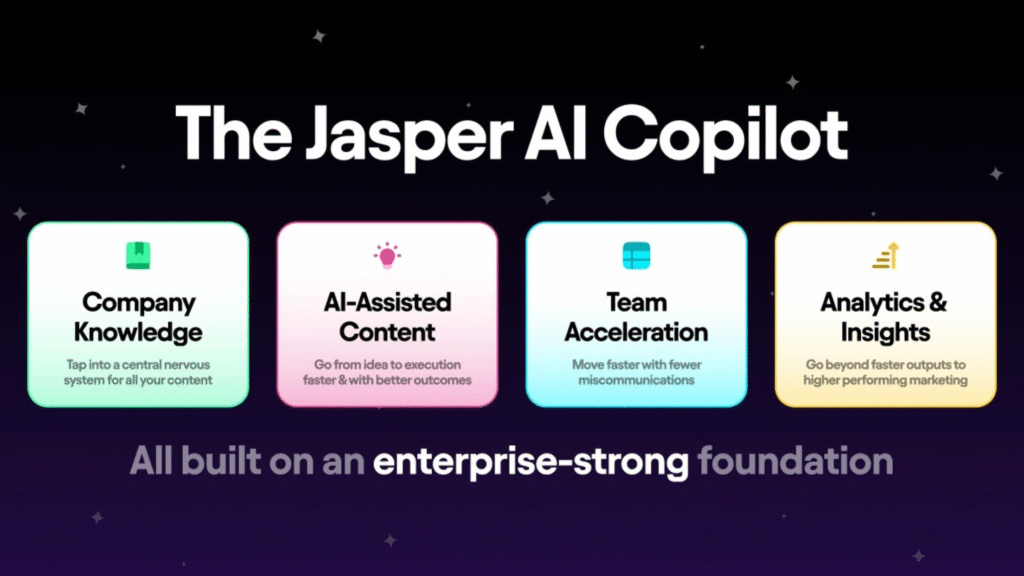
Image Source: Jasper.ai
Jasper AI positions itself for marketing professionals who need structured, brand-consistent content at scale. The platform processes marketing workflows rather than just generating text and builds on multiple AI models, including GPT, Gemini, and Anthropic. More than 100,000 businesses use Jasper for campaign content. Teams report cutting drafting time by 80% while achieving up to 400% ROI.
Key Features and Capabilities
Jasper’s Brand IQ integrates company guidelines into outputs and ensures every piece matches voice, tone, and style. The Knowledge Base stores brand positioning, product details, and customer research. Jasper pulls from these assets to maintain strategic alignment without manual copy-pasting when you create content.
The platform offers 50+ templates covering blog posts, Facebook ads, Google ads, email sequences, and landing pages. Jasper Commands lets writers issue natural language instructions. Boss Mode provides a document editor for long-form content. Jasper Chat functions as an AI assistant with source citations. Integration with Surfer SEO handles keyword optimization and content scoring.
Pricing and Plans
| Plan | Monthly Cost | Key Features |
| Pro | $69/seat | 1 seat, full Canvas access, 2 Brand Voices, 5 Knowledge Assets, 3 Audiences, Jasper Chat & Art |
| Business | Custom pricing | Unlimited Brand Voices/Knowledge/Audiences, API access, admin controls, dedicated account manager |
Both plans include a 7-day free trial.
Because pricing can change, it’s recommended to check the official website for the most up-to-date plan details.
Pros and Cons
Pros: Email sequences and ad copy work well. Brand Voice maintains consistency across channels. The wide template library speeds up content creation. Team collaboration features support multi-user workflows.
Cons: Premium pricing compared to alternatives. Generated content can be repetitive. Best results require detailed prompts. Outputs sometimes feel generic despite brand training.
Best Use Cases
Marketing teams producing high-volume campaigns benefit most from Jasper’s structured approach. Small agencies, eCommerce businesses, and SaaS companies use it for ads, product descriptions, and email marketing. The platform works best when you understand your topics. It amplifies existing knowledge rather than creating expertise.
Sudowrite: Best AI Writing Tool for Fiction
Fiction writers face unique challenges that general AI writing tools often miss. Sudowrite emerged as the first AI tool built to write fiction. It addresses problems like writer’s block, descriptive language, and character consistency throughout manuscripts. The platform’s Muse model stands as a proprietary large language model fine-tuned to write creatively. It powers key features like Draft, Write, Expand, and Synopsis.
Key Features and Capabilities
Story Bible guides writers from the original concept through completed chapters. The system stores character details, worldbuilding elements, and plot points in a format the AI accesses when it generates content. Writers can upload 2,000-word samples to train the system on their unique voice. The AI analyzes tone, mood, POV, vocabulary, and sentence structure.
Write functions as advanced autocomplete. It analyzes up to 20,000 preceding words plus Story Bible data and suggests 50-2,000 words in your style. Auto mode relies on existing text. Guided mode accepts sentence-length instructions about what happens next. Expand transforms summaries into detailed scenes. Rewrite offers options to rephrase text, make it shorter, more descriptive, show instead of tell, or add inner conflict. Describe generates multi-sensory descriptions that utilize all five senses plus metaphors.
Brainstorm creates lists for dialog, characters, worldbuilding, plot points, and names. Canvas maps story structure with Hero’s Journey, Save the Cat, Three-Act Structure, or Romancing the Beat frameworks. The platform provides access to multiple AI models, including Claude, GPT-4, Goliath, Deepseek, and Muse.
Pricing and Plans
| Plan | Monthly Cost | Annual Cost | Credits | Rollover |
| Hobby & Student | $19 | $10/month ($120/year) | 225,000 | No |
| Professional | $29 | $22/month ($264/year) | 1,000,000 | No |
| Max | $59 | $44/month ($528/year) | 2,000,000 | Yes (12 months) |
Credits deplete based on model selection. Powerful models like Muse consume credits faster than budget options. A 7-day refund policy applies to new plans.
Because pricing can change, it’s recommended to check the official website for the most up-to-date plan details.
Pros and Cons
Pros: Muse AI produces creative prose while avoiding cliches. Story Bible maintains world-building consistency. Multiple AI models provide flexibility. Credits roll over on the Max plan. Free trial offers 10,000 credits without a credit card.
Cons: Credit-based pricing makes usage prediction difficult. Learning curve requires 2-3 sessions. Generated content needs editing. Lacks a plagiarism checker.
Best Use Cases
Prolific indie authors writing multiple books annually benefit most. The tool helps produce first drafts two to three times faster. NaNoWriMo participants utilize it for momentum during the 50,000-word sprint. Writers struggling with descriptions utilize Describe for sensory-rich passages. Authors manage series track plot and character arcs throughout books.
Surfer SEO: Best AI Tool for SEO Content
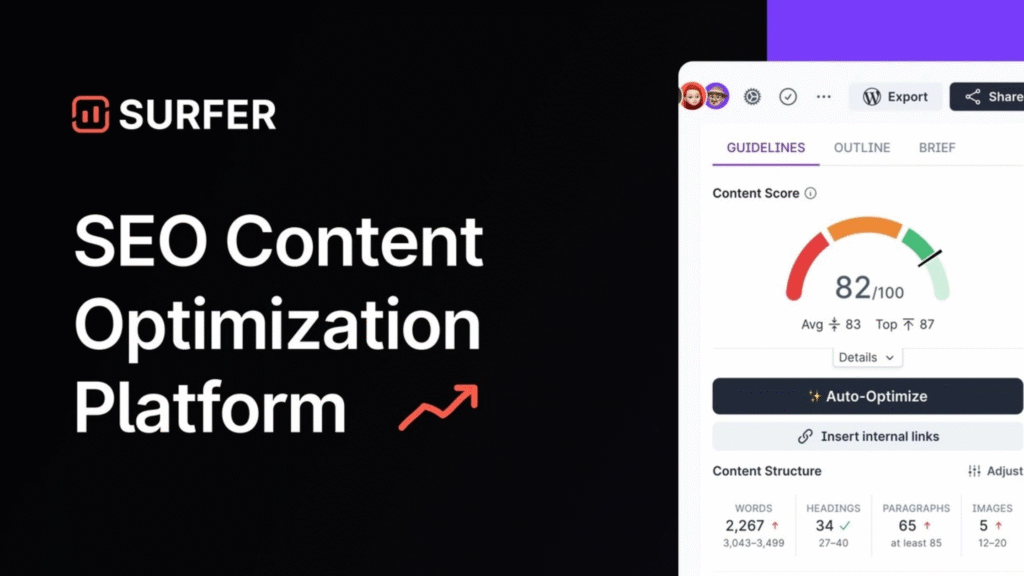
Image Source: Surfer SEO
SEO content needs more than well-written text. Surfer SEO analyzes what already ranks and builds optimization guidelines directly into the writing process. The platform gets into over 300,000 words across top-performing pages when generating articles, using GPT-4o with a 128k token context window to reduce repetition and improve transitions. This analytical methodology has drawn 150,000+ customers from 159+ countries.
Key Features and Capabilities
Surfer AI generates articles through a four-step workflow that takes under 20 minutes. Writers enter target keywords and adjust article settings, including tone and competitor selection. They review and edit the proposed outline with custom knowledge, then generate SEO-ready content with pre-generated images. The Content Editor provides immediate Content Score tracking that measures how well drafts stack against competitors. Scores above 70 indicate adequate optimization.
Surfy functions as an in-editor assistant and expands text or adds examples through slash commands. The AI Tracker monitors brand visibility across ChatGPT, Google AI Overviews, and Perplexity. Topical Map identifies content clusters to build authority, while Content Audit flags ranking drops and quick-win refresh opportunities. Automated internal linking scans published content and suggests relevant connections.
Pricing and Plans
| Standard 99 USD | Pro 182 USD | Peace of Mind 299 USD |
| Everything in Pro, plus: Create or Optimize Unlimited* Documents, Track AI Visibility, Track 100 AI Prompts, refreshed daily, Integrations, Unlimited Brand Workspaces | Everything in Pro, plus: Create or Optimize Unlimited* Documents, Track AI Visibility, Track 100 AI Prompts, refreshed dailyIntegrationsUnlimited Brand Workspaces | Everything in Pro, plus: Create or Optimize Unlimited* Documents, Track AI VisibilityTrack 100 AI Prompts, refreshed daily, Integrations, Unlimited Brand Workspaces |
Because pricing can change, it’s recommended to check the official website for the most up-to-date plan details.
Pros and Cons
Pros: Reverse-engineers ranking content to eliminate guesswork. All-in-one suite combines research, writing, and auditing. WordPress and Google Docs integrations fit existing workflows. Over 500 ranking metrics analyze content depth.
Cons: Steep learning curve requires hands-on outlining and editing. The credit system, combined with subscriptions, increases costs for high-volume publishers. Keyword suggestions can become excessive. New users face complexity when navigating multiple features.
Best Use Cases
Content marketers producing consistent, optimized articles benefit from structured SEO guidance. Agencies scaling client content use collaborative tools and white-label reporting. SEO professionals utilize SERP analysis for data-backed optimization decisions.
Grammarly: Best AI Writing Assistant for Editing
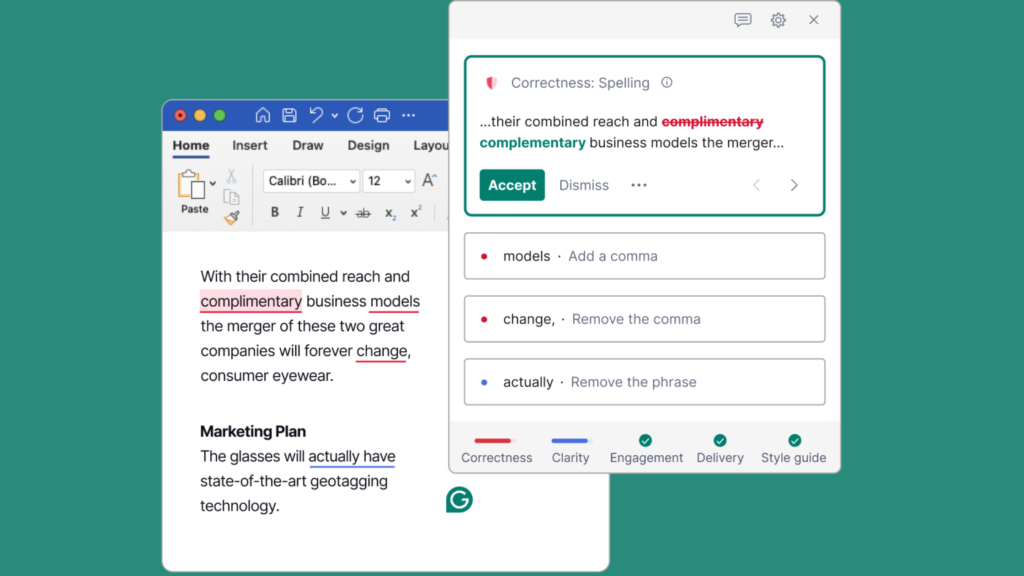
Image Source: www.grammarly.com
Editing distinguishes polished writing from rough drafts. Grammarly has refined this process since 2009. It evolved from a grammar checker into an AI writing assistant that handles immediate corrections, tone adjustments, and style refinement. The platform has earned trust from over 40 million people and 50,000 organizations. Companies report an average savings of $5,000 per employee annually.
Key Features and Capabilities
Grammarly catches grammar, spelling, and punctuation errors as you type. Full-sentence rewrites provide alternative phrasing for clarity and concision. Tone detection identifies how messages land. Tone adjustment changes formality levels in one click. The platform detects plagiarism across 16 billion web pages and identifies AI-generated text.
Grammarly Docs functions as an AI-native document editor with specialized agents. Proofreader Agent delivers inline grammar suggestions. Citation Finder locates credible sources and formats them without manual work. Paraphraser adjusts style to match different audiences. Reader Reaction Agent predicts how specific audiences respond to your writing. The platform supports English, Spanish, French, German, Portuguese, and Italian.
Pricing and Plans
| Plan | Monthly | Annual | Key Features |
| Free | $0 | $0 | Grammar/spelling checks, tone detection, 100 AI prompts |
| Pro | $30 | $12/month ($144/year) | Full rewrites, plagiarism detection, 2,000 AI prompts, tone adjustment |
| Enterprise | Custom | Custom | Unlimited prompts, dedicated support, and data loss prevention |
Because pricing can change, it’s recommended to check the official website for the most up-to-date plan details.
Pros and Cons
Immediate corrections save editing hours. Explanations accompany suggestions and help writers learn. Browser extensions work on platforms of all types, from Google Docs to WordPress and social media. The system is accurate but occasionally misinterprets specialized terminology. Premium pricing exceeds that of some competitors. Aggressive upgrade prompts can frustrate free users.
Best Use Cases
Students use Citation Finder for academic papers. They retain originality through plagiarism detection. Professionals utilize tone adjustment for client negotiations and business correspondence. Teams apply Brand Voice features to maintain consistency in their communications. Non-native speakers benefit from contextual grammar corrections and vocabulary enhancement.
Rytr: Best Budget AI Writing Tool
Budget constraints shouldn’t limit access to quality AI writing assistance. Rytr delivers powerful content generation at a fraction of competitor pricing, trusted by 8,000,000+ writers. The platform handles short-form content in 40+ use cases, from social media ads and email sequences to product descriptions and blog outlines.
Key Features and Capabilities
Rytr’s Continue Writing feature extends existing text and analyzes context to maintain flow. The platform supports 30+ languages and 20+ tones. Writers can match brand voice for global audiences. Scientific copywriting formulas like AIDA and PAS structure outputs for persuasion. A rich text editor transforms drafts in about 15 minutes through rewording, shortening, and grammar correction. The built-in plagiarism checker scans text against existing content. Browser extensions work on email, social platforms, and document editors.
Pricing and Plans
| Plan | Monthly Cost | Characters/Month | Key Features |
| Free | $0 | 10,000 | 40+ use cases, 20+ tones, plagiarism checker |
| Unlimited | $9 | 100,000 | Custom use cases, 20 AI images/month |
| Premium | $29 | Unlimited | 100 AI images, dedicated manager, priority support |
Annual payments get two months free.
Because pricing can change, it’s recommended to check the official website for the most up-to-date plan details.
Pros and Cons
Rytr excels at speed and affordability. It generates quality short-form content in seconds. The interface stays clean and beginner-friendly. But the platform doesn’t deal very well with long-form articles and produces repetitive text that lacks coherent structure. SEO tools provide keyword suggestions without search volume or difficulty metrics.
Best Use Cases
Freelancers and social media managers benefit most. They use Rytr for daily marketing tasks like ad copy and email responses. The platform serves entrepreneurs who need quick product descriptions and landing page content without hiring copywriters.
Copy.ai: Best for Quick Copywriting
Marketing teams need content fast. Copy.ai delivers that through its GTM AI platform approach. The tool automates repetitive copywriting tasks in blogs, social media, product descriptions, and email campaigns. 17 million users trust it.
Key Features and Capabilities
Copy.ai provides 90+ templates spanning sales copy, digital ads, social media content, and email sequences. Content Agents generate material based on learning models from users’ examples. AI Workflows optimize repetitive processes like email and blog drafting. The Infobase stores company information and brand details with tags to integrate them across projects quickly. The platform supports AIDA and PAS copywriting formulas and helps teams structure persuasive messaging.
Pricing and Plans
Because pricing can change, it’s recommended to check the official website for the most up-to-date plan details.
Pros and Cons
Copy.ai excels at speed and team collaboration. But outputs can be generic or off-brand and require edits. Customer support response times lag at times.
Best Use Cases
Freelancers, marketers, and small business owners benefit most. They use Copy.ai for ad copy, social captions, and email responses without hiring copywriters.
Writesonic: Best AI Tool for Content Creation at Scale
High-volume content production requires tools that handle bulk operations without sacrificing quality. Writesonic addresses this through its AI Article Writer 6.0, which generates articles up to 5,000 words by analyzing competitor content and live data. Give InKind used the platform to create 16,000 product listings and save thousands each month. Photography expert Alan Ranger saw a 500% increase in blog impressions within six months using the tool.
Key Features and Capabilities
AI Article Writer 6.0 produces listicles, product reviews, and technical content. Bulk generation uploads CSV files containing multiple topics and processes them at once. ChatSonic works as an AI assistant for market research and competitor analysis. The SEO Checker scores content from 0 to 100 based on keyword use and structure, with an automated optimization button. Generative Engine Optimization tracks brand mentions across ChatGPT and Google AI Overviews.
Pricing and Plans
| Plan | Monthly | Annual | AI Articles | AI Prompts Tracked | Writing Styles |
| Starter | $99 | $79 | 15 | 50 | 1 |
| Basic | $249 | $199 | 25 | 100 | 5 |
| Growth | $499 | $399 | 50 | 200 | 10 |
| Enterprise | Custom Pricing | Custom Pricing | Custom | Custom | Unlimited |
Because pricing can change, it’s recommended to check the official website for the most up-to-date plan details.
Pros and Cons
Pros: Fast bulk generation saves up to 30 hours weekly. Built-in SEO tools eliminate separate subscriptions. Multiple AI models, including GPT-4o and Claude.
Cons: GEO features require $199+ plans. Content needs editing by hand. Interface complexity overwhelms new users.
Best Use Cases
Marketing teams producing high-volume drafts benefit most. E-commerce businesses use bulk generation to create product descriptions. Agencies track client brand visibility across AI platforms.
Frase: Best for SEO Content Strategy
Content strategy requires more than intuition. Frase combines research, optimization, and AI visibility tracking into a platform that thousands of teams trust. The tool analyzes top-ranking pages to surface the topics, questions, and keywords competitors cover.
Key Features and Capabilities
Frase’s AI Agent handles 80+ specialized skills through natural conversation. The research panel processes the top 20 SERP results for target queries and extracts common headings, People Also Ask questions, and competitor frameworks. Writers use this data to build outlines that fill content gaps.
Up-to-the-minute content scoring tracks optimization for traditional search engines and AI platforms like ChatGPT, Perplexity, and Claude. This dual SEO and GEO approach structures content for citations across 8 AI platforms. Content Opportunities syncs with Google Search Console to identify declining pages and surface recommendations with estimated traffic impact.
Pricing and Plans
| Plan | Monthly (Annual) | Articles/Month | AI Platforms | User Seats |
| Starter | $49 ($39 Annual) | 10 | 2 | 1 |
| Professional | $129 ($103 Annual) | 40 | 3 | 3 |
| Scale | $299 ($239 Annual) | 100 | 5 | 5 |
All plans include full AI Agent access, site audits, and API.
Because pricing can change, it’s recommended to check the official website for the most up-to-date plan details.
Pros and Cons
Pros: Automated content briefs save hours of manual research. SERP visualizer provides domain authority and backlink data. Google Search Console integration offers internal linking recommendations.
Cons: A learning curve exists before you can use all the features. Keyword research capabilities are limited compared to dedicated SEO tools. AI suggestions require manual review for accuracy.
Best Use Cases
SEO professionals use Frase for competitive content analysis and on-page optimization. Content teams that produce 30+ articles monthly benefit from simplified processes. Agencies use white-label options and multi-domain monitoring for client work.
Novelcrafter: Best AI Writing Tool for Long-Form Content
Image Source: Novelcrafter
Long-form fiction projects just need specialized organization beyond standard word processors. Novelcrafter addresses this through its browser-based platform serving 157,000+ authors, especially when managing novels, series, and complex manuscripts where tracking characters, plot threads, and worldbuilding becomes critical across hundreds of pages.
Key Features and Capabilities
The Codex functions as an intelligent story bible. It stores characters, locations, lore, and plot elements in a structured database. Generic note-taking systems can’t match this because it detects references within your manuscript and provide inline previews automatically, which eliminates tab-switching during drafting sessions. The Chat feature merges directly with Codex data and outlines, which enables context-aware brainstorming that pulls from your established world rather than generic AI knowledge.
Novelcrafter’s flexible prompting system allows writers to customize any AI feature and create specialized workflows for scene generation, character development, or prose refinement. The platform supports connections to multiple AI providers through a “Bring Your Own Key” model. Subscription fees cover platform access while AI usage costs are paid separately.
Pricing and Plans
| Plan | Monthly Cost | AI Integration | Key Features |
| Scribe | $4 | No | Unlimited books, Codex, and series support |
| Hobbyist | $8 | BYOK | Scene summarization, character extraction |
| Artisan | $14 | BYOK + Chat | Full AI chat, advanced review tools |
| Specialist | $20 | BYOK + Chat | Collaboration, team management |
A 21-day free trial unlocks all features without requiring credit cards.
Because pricing can change, it’s recommended to check the official website for the most up-to-date plan details.
Pros and Cons
The Codex maintains internal consistency across manuscripts, while the Chat feature accelerates brainstorming by accessing project-specific context. Pricing remains lower than competitors’, even when factoring in AI token costs. But the interface favors versatility over simplicity, which creates a steeper learning curve. The platform lacks automated outline generation features found in simpler alternatives.
Best Use Cases
Novelists managing series benefit from shared Codex data across books. Plotters utilize planning tools for structured outlining, while discovery writers use Chat for exploratory drafting. Screenwriters, content creators, and tabletop RPG designers adapt the flexible framework to their specific needs.
Hypotenuse AI: Best for E-commerce Product Descriptions
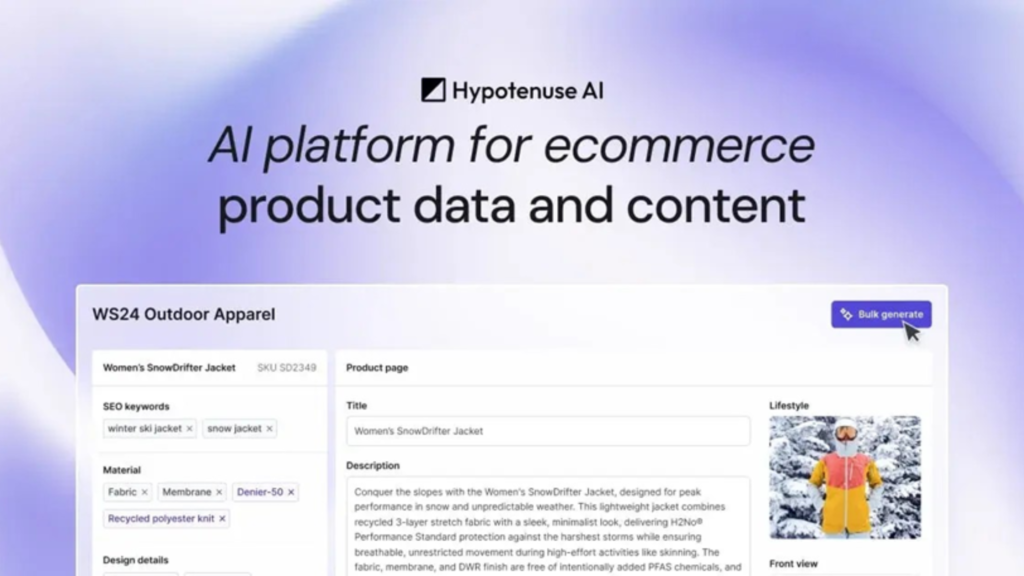
Image Source: www.hypotenuse.ai
E-commerce catalogs present unique content challenges that general AI writing tools don’t handle well. Hypotenuse AI specializes in generating product descriptions at scale, built for online stores managing hundreds or thousands of SKUs.
Key Features and Capabilities
The batch generator handles bulk product description creation through CSV uploads or direct Shopify integration. You can import your entire catalog and generate unique descriptions all at once instead of writing each one individually. Content Detective fact-checks articles and locates sources instantly. Product data enrichment fills missing attributes by searching the web, analyzing images, or pulling from supplier data.
The platform supports 30+ languages and integrates with Shopify, WordPress, Salesforce Commerce Cloud, and Salsify. HypoArt generates product images, though results vary based on input quality. SEO optimization has keyword suggestions and performance monitoring on Google, Amazon, and Walmart.
Pricing and Plans
| Plan | Cost | Users | HypoChat |
| Basic | Custom | 1 seat | Limited |
| Ecommerce Enterprise | Custom | Custom seats | Unlimited |
A 7-day free trial requires no credit card.
Because pricing can change, it’s recommended to check the official website for the most up-to-date plan details.
Pros and Cons
Pros: Batch workflows save hours on large catalogs. Entry pricing is competitive. The interface guides setup and is user-friendly. E-commerce focus with PIM-style capabilities.
Cons: AI images need manual cleanup. SEO features lag specialized competitors. Outputs require editing.
Best Use Cases
Online retailers managing 100+ products benefit from bulk generation workflows. Brands expanding internationally use 40+ language localization. Shopify stores sync descriptions without manual copying.
ProWritingAid: Best for Professional Writers
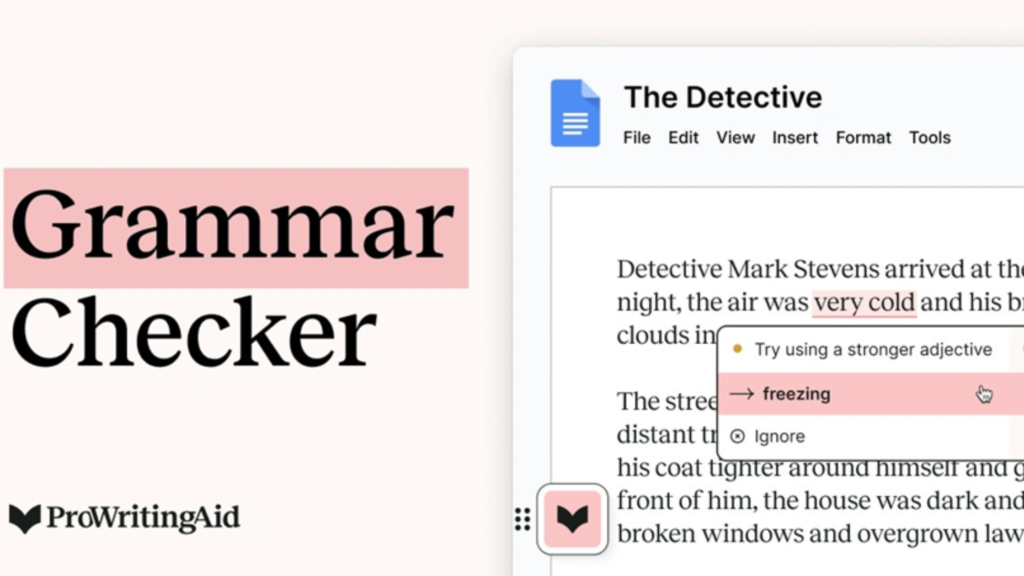
Image Source: ProWritingAid
Professional writers need more than surface-level corrections. ProWritingAid delivers in-depth manuscript analysis through 25+ specialized reports that get into overused words, clichés, awkward phrasing, sentence structure, pacing, and readability. The platform works wherever you write and integrates with Word, Google Docs, Scrivener, and browser extensions.
Key Features and Capabilities
The Rephrase tool transforms sentences by adjusting formality, length, fluency, and sensory detail. Sparks provides AI-powered editing to improve readability, change tenses, and offer creative suggestions. Chapter Critique analyzes individual chapters for strengths, weaknesses, and areas that need improvement. Manuscript Analysis examines full manuscripts for structure, plot, pacing, and characterization. Virtual Beta Reader delivers emotional, first-person feedback and shows where stories engage or lose readers.
Custom style guides add personalized rules. Author Comparison measures your writing against 90 renowned authors like Stephen King. The Sensory Report tracks usage of the five senses to analyze “show, don’t tell”. So plagiarism checking scans text against web pages and published works.
Pricing and Plans
| Plan | Monthly Cost | Word Limit | Sparks/Day | Chapter Critiques/Day |
| Free | $0 | 500 words | 3 | |
| Premium | $30 | Unlimited | 5 | 1 |
| Premium Pro | $36 | Unlimited | 50 | 3 |
Premium unlocks unlimited rephrases, advanced style improvements, and 40% off Story Credits. Premium Pro adds live workshops, 200+ expert sessions, and 65% Story Credit discounts.
Because pricing can change, it’s recommended to check the official website for the most up-to-date plan details.
Pros and Cons
The platform excels through detailed writing reports that teach improvement techniques. Scrivener integration saves considerable revision time. But complexity overwhelms new users and requires 2-3 sessions to work through features. The 500-word free limit restricts functionality. Paid critique features a cap of 4,000 words.
Best Use Cases
Novelists benefit from Chapter Critique and pacing reports to edit fiction. Non-fiction authors use readability scores and structure analysis. Academic writers use plagiarism checking coupled with citation tools. Professional editors employ it before client submissions to eliminate mechanical errors.
Comparison Table
| Tool | Best For | Starting Price (Monthly) | Free Plan | Key Strength | Main Limitation | Ideal User |
| Claude | Overall AI Writing | $0 (Free tier available) | Yes | 100,000-token context window to handle long-form content | Usage limits vary and can be unpredictable | Content creators handling long-form projects and beginner programmers |
| ChatGPT | Free AI Writing Assistant | $0 (Free tier available) | Yes | Resilient free tier with GPT-5.2 access | Responses may lack accuracy and depth | Academic researchers and content creators need brainstorming support |
| Jasper AI | Marketing Teams | $69/seat | No | Brand IQ maintains voice consistency in channels | Premium pricing no match for alternatives | Marketing teams producing high-volume campaigns |
| Sudowrite | Fiction Writing | $19 ($10/month annually) | No (10,000 credit trial) | Muse AI model fine-tuned for creative writing | Credit-based pricing makes usage prediction difficult | Prolific indie authors and NaNoWriMo participants |
| Surfer SEO | SEO Content | $99/month | No | Analyzes 300,000+ words in top-performing pages | Steep learning curve requiring hands-on editing | Content marketers producing consistent, optimized articles |
| Grammarly | Editing | $0 (Free tier available) | Yes | Up-to-the-minute corrections with educational explanations | Premium pricing exceeds some competitors | Students, professionals, and non-native speakers |
| Rytr | Budget AI Writing | $0 (Free tier available) | Yes | Powerful content generation at a fraction of competitor pricing | Doesn’t deal very well with long-form articles | Freelancers and social media managers |
| Copy.ai | Quick Copywriting | $29 | No | 90+ templates to generate content rapidly | Outputs can be generic or off-brand | Freelancers, marketers, and small business owners |
| Writesonic | Content Creation at Scale | $99 ($79 annually) | No | Bulk generation processes multiple topics at once | GEO features require $199+ plans | Marketing teams producing high-volume drafts |
| Frase | SEO Content Strategy | $39 ($49 monthly) | No | Analyzes the top 20 SERP results to gain competitive insights | Limited keyword research is no match for dedicated SEO tools | SEO professionals and content teams producing 30+ articles monthly |
| Novelcrafter | Long-Form Content | $4 | Yes (21-day trial) | The 500-word free limit restricts functionality | Interface has a steeper learning curve | Novelists managing series and complex manuscripts |
| Hypotenuse AI | E-commerce Product Descriptions | Custom | Yes (7-day trial) | Batch generator handles bulk product descriptions via CSV | AI images need manual cleanup | Online retailers managing 100+ products |
| ProWritingAid | Professional Writers | $0 (Free tier available) | Yes | 25+ specialized reports to analyze manuscripts in depth | 500-word free limit restricts functionality | The 500-word free limit restricts functionality |
Conclusion
The right AI writing tool depends on your specific needs rather than finding a single “best” option. Fiction writers will find Sudowrite’s creative capabilities are a great way to get inspired, while SEO professionals benefit more from Surfer’s analytical insights. Budget-conscious users can start with Rytr or ChatGPT’s free tier before upgrading.
I recommend testing 2-3 tools from this list based on your main goal. Most platforms offer free trials or freemium plans that allow you to compare outputs side-by-side with your actual projects. The tool that works best for your workflow might surprise you once you see real results rather than marketing promises.
Key Takeaways
Here are the essential insights from testing 13 AI writing tools across real projects to help you choose the right solution for your needs:
• Match tools to specific use cases – Fiction writers need Sudowrite’s creative AI, while marketers benefit from Jasper’s brand consistency features, and SEO professionals require Surfer’s data-driven optimization.
• Start with free options before investing – ChatGPT, Claude, Grammarly, and Rytr offer robust free tiers that let you test capabilities without financial commitment before upgrading to premium features.
• AI writing tools boost productivity by 61% on average – Organizations report 430% faster content creation, and writers produce 50% more content without burnout when using the right AI assistance.
• Budget doesn’t determine quality – Rytr delivers powerful content generation at $9/month while premium tools like Jasper cost $69/seat, proving expensive doesn’t always mean better for your specific needs.
• Test 2-3 tools with your actual projects – Marketing promises differ from real-world performance, so compare outputs side-by-side using your content types rather than relying on feature lists alone.
The key to success lies in understanding your primary writing goals and testing tools that align with those specific requirements rather than searching for a one-size-fits-all solution.